🛰 Build a 3D GPS Trilateration Model for School Expo
A Complete Step-by-Step Guide with Interactive Demo & Mathematics
GPS is something we use every day — but how does it actually find your location?
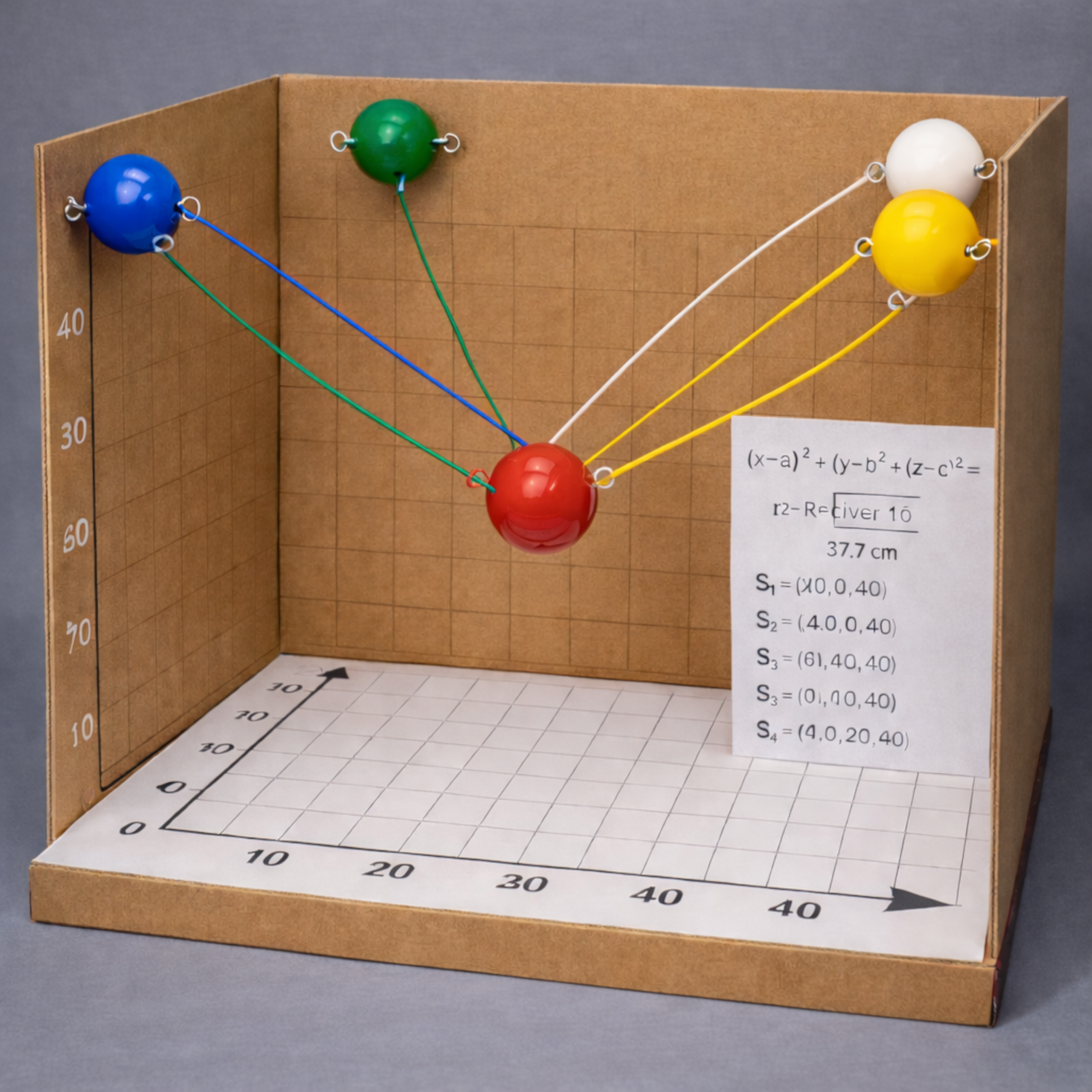
In this project, we build a 3D working model of GPS trilateration using simple materials like cardboard, plastic balls, and threads — no electronics required. This guide explains everything from theory to final assembly, complete with an interactive 3D visualization to help you understand the concept.
🎮 Interactive 3D Demo
Explore how GPS trilateration works before building your physical model
💡 Try it: Click the mode buttons (1 SAT, 2 SAT, 3 SAT, 4 SAT) to see how adding satellites narrows down the position. Drag to rotate, scroll to zoom.
🧠 The Mathematics Behind GPS
GPS determines your location using distance from satellites. If a satellite is at coordinate (a, b, c) and your receiver is at (x, y, z), the distance between them is:
Each satellite forms a sphere in 3D space. Your location is where all spheres intersect.
🎯 Why 4 Satellites?
1 satellite: Infinite possible positions (entire sphere surface)
2 satellites: A circle of possible positions
3 satellites: Two possible points remain
4 satellites: One exact location found ✓
📐 Model Coordinates Used
Cube Size: 28 cm × 28 cm × 28 cm
Satellites (Top Corners)
- S1: (0, 0, 28)
- S2: (28, 0, 28)
- S3: (0, 28, 28)
- S4: (28, 28, 28)
Receiver Position
(14, 14, 10)
🧮 Distance Calculation Example
From S1 (0, 0, 28) to Receiver (14, 14, 10):
d = √[(14−0)² + (14−0)² + (10−28)²]
d = √[196 + 196 + 324]
d = √716 ≈ 26.76 cm
🛠 Materials Required
- Corrugated cardboard (28×28 cm sheets)
- White chart paper
- 4 plastic balls (satellites)
- 1 red plastic ball (receiver)
- 10 cm wooden dowel
- 4 nylon threads (≈27 cm each)
- Adhesive, tape, ruler, drill
🏗 Step-by-Step Construction
- Build a 28×28×28 cm cube frame using cardboard.
- Attach 1 cm grid sheets inside to create coordinate reference.
- Install the receiver at (14, 14, 10).
- Mount satellites at the four top corners.
- Attach threads representing calculated distances.
🎬 How to Demonstrate
“This red ball represents the GPS receiver. Each thread represents measured distance. The only point satisfying all four equations is this exact coordinate.”
🏆 Final Thoughts
This project transforms abstract coordinate geometry into a physical, interactive learning experience. Perfect for school science expos, mathematics exhibitions, and STEM workshops.
Need a senior technical review?
If this article relates to a system you are building, fixing, or evaluating, share the context and I will respond with practical next steps.
Start a Conversation →

